Every part of the shop,
on one account.
Start with the one you need most. Each part works on its own, and each one you add already knows your menu, your team and your orders.
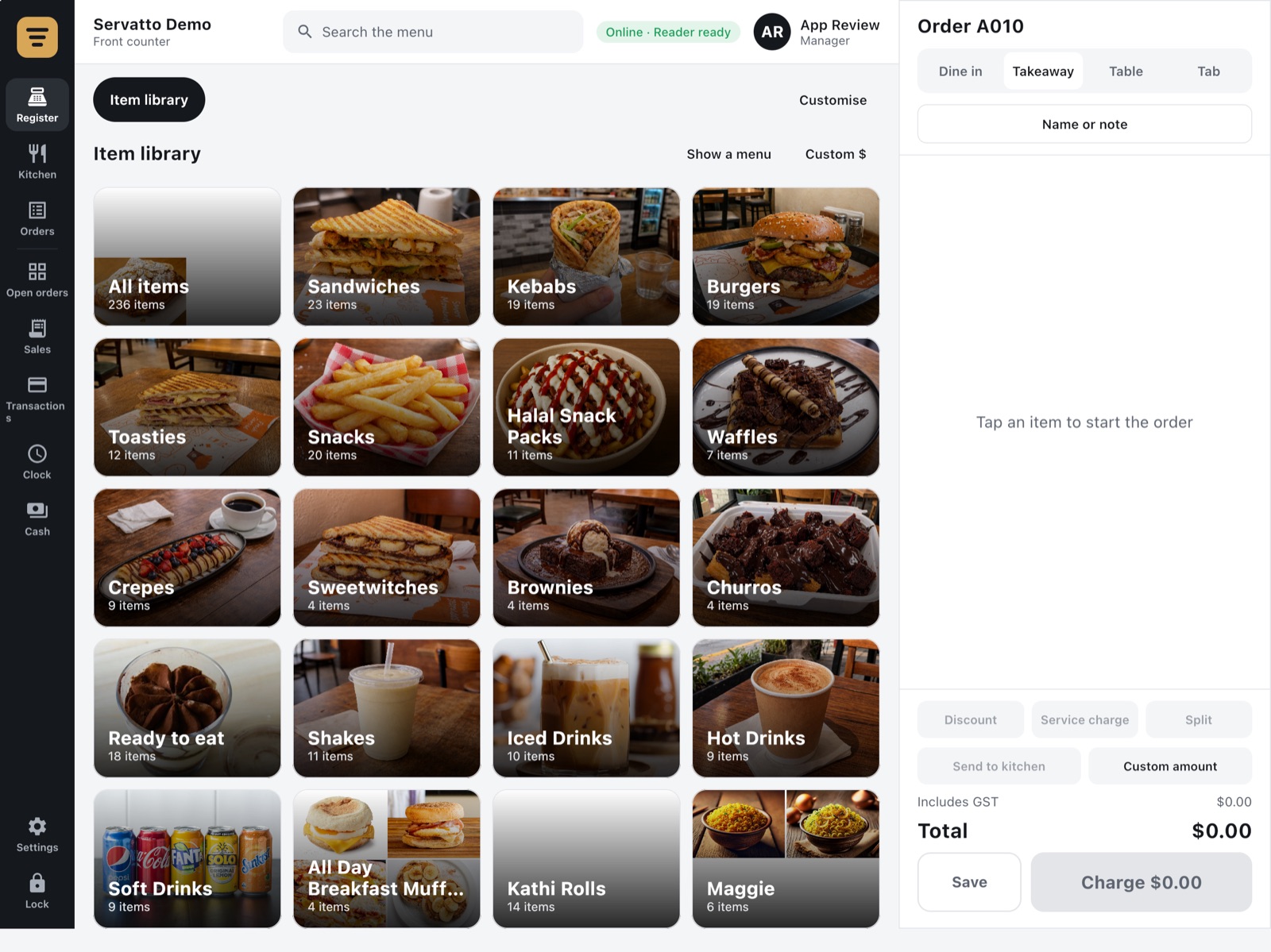
A till built for a busy counter.
Ring up a coffee in two taps or run a table of eight with a split bill. Every sale goes to the kitchen, the reports and the customer's Rewards without anyone re-typing it.
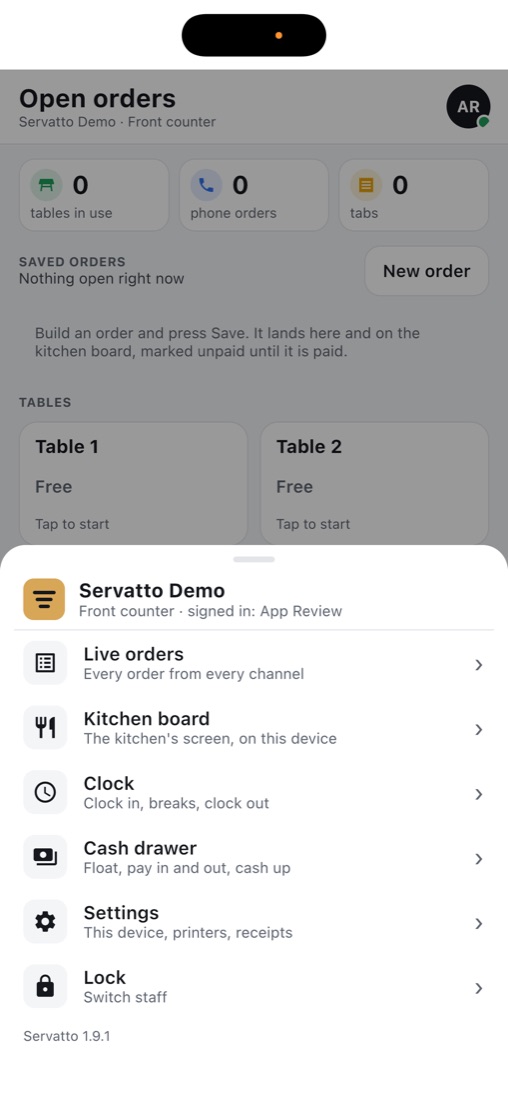
- Dine in, takeaway, tables and tabs, with a floor plan, seats, and bills split evenly, by item or by seat
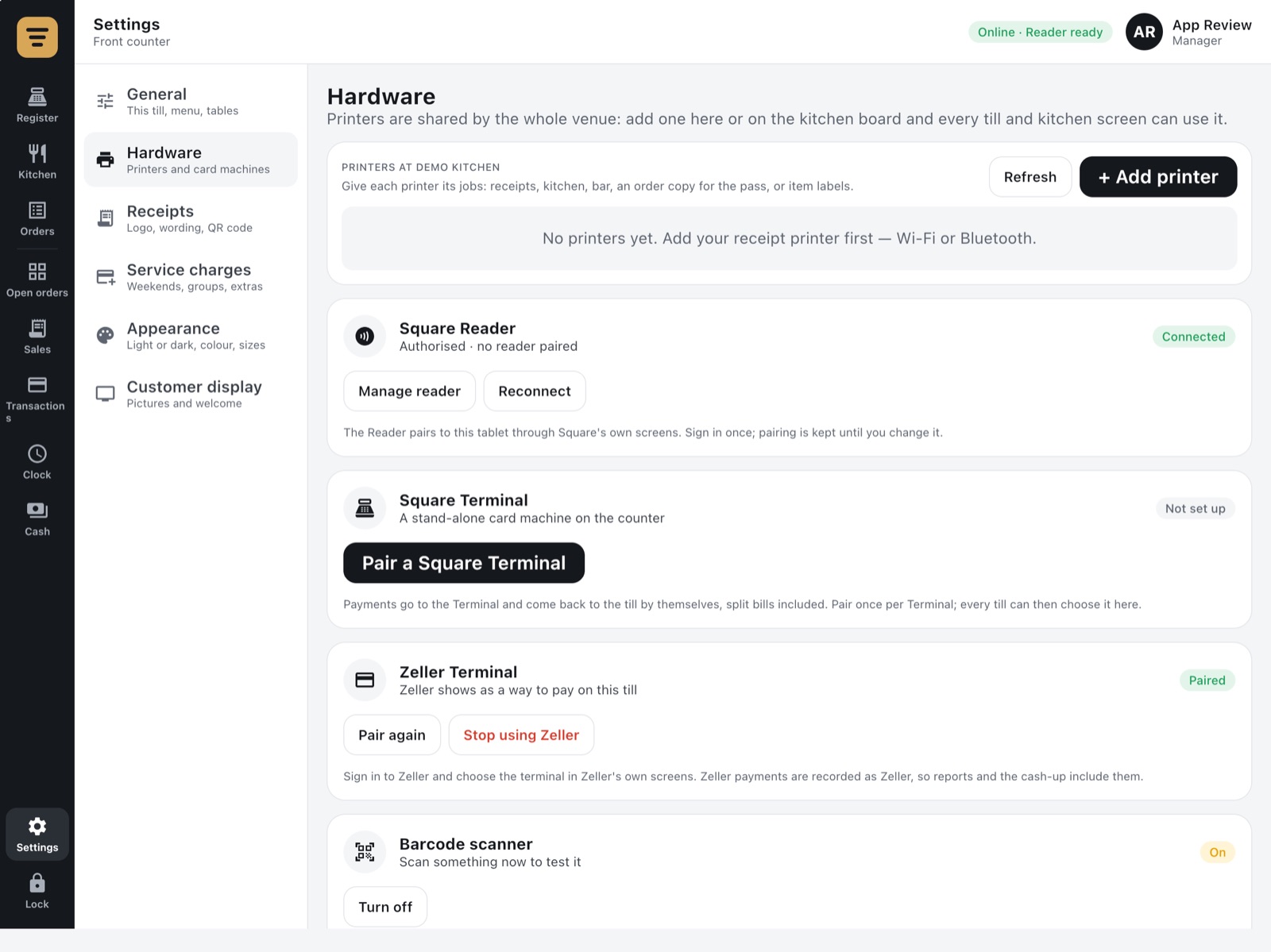
- Cards through your own reader: Square Reader, Stand or Terminal, or a Zeller Terminal. Plus cash, and other EFTPOS
- Cash drawer with a float, pay in and out, and a close-out that shows what should be there
- Discounts, surcharges and tips set once in the Back Office: Sunday and public holiday surcharges apply themselves
- Staff PINs and permissions: refunds need a manager, voids need a reason, and everything is recorded
- A customer-facing second screen showing the order, tips, change and Rewards, with your photos between customers
- Phone orders: the customer gets a payment link by text, then a second text when it's ready
- Printed or emailed receipts, tax invoices with ABN, and 5c cash rounding
- Keeps selling offline: cash, card and tabs carry on, and it all syncs later
Free. Android tablet today. iPad and a Chrome till for your PC are in early release.
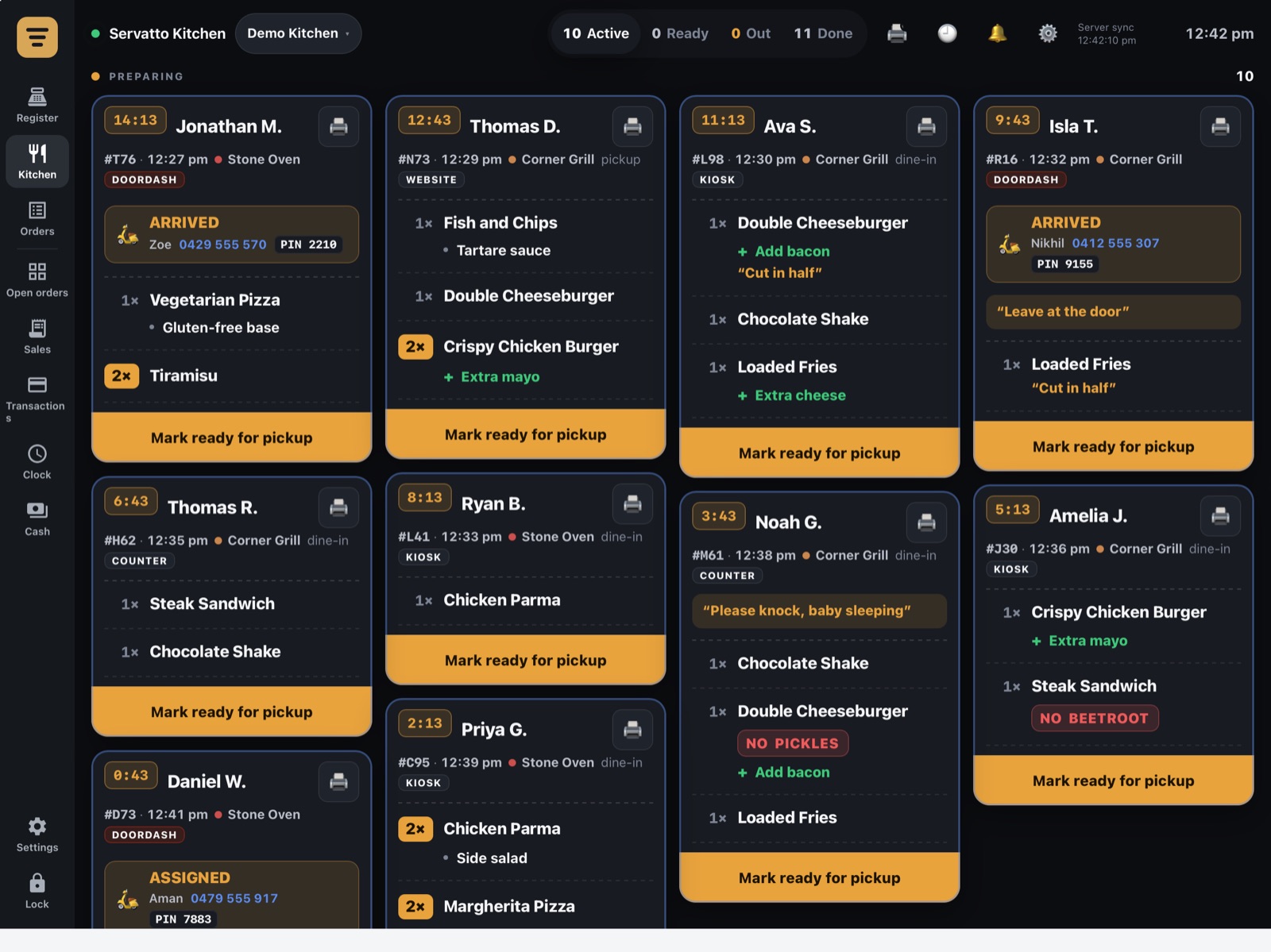
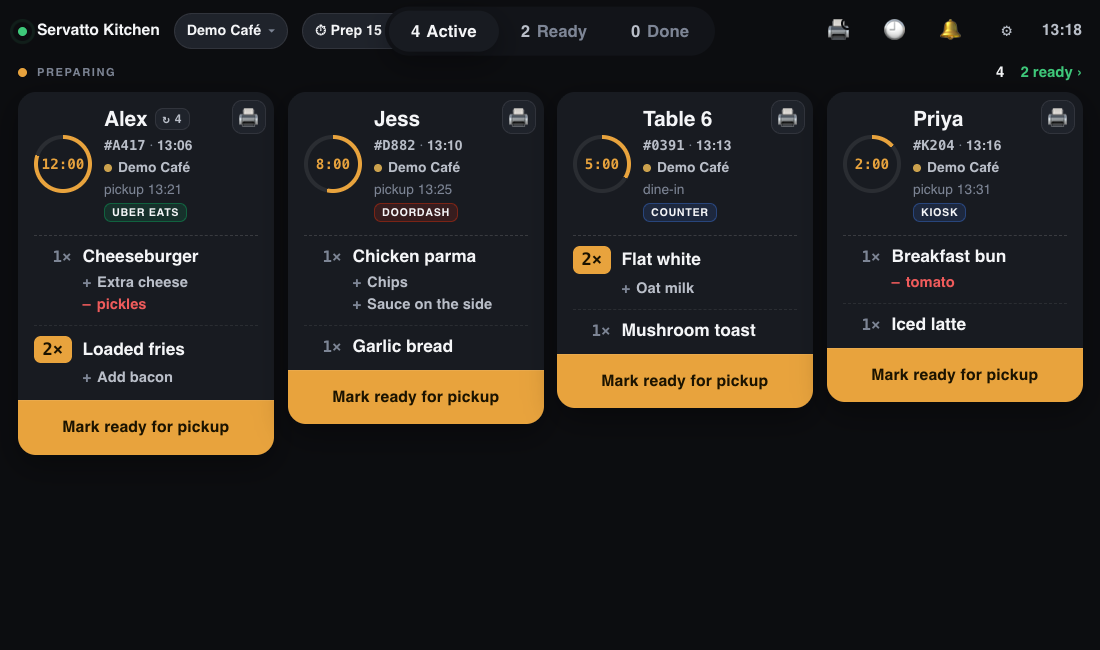
Every order on one screen, oldest first.
The screen your cooks work from. Counter, kiosk, delivery and web orders in one list, each with a clock, and one tap when the food is up.
- Every source in one list: Square, the Register, the Kiosk, and Uber Eats, DoorDash and Menulog through Otter
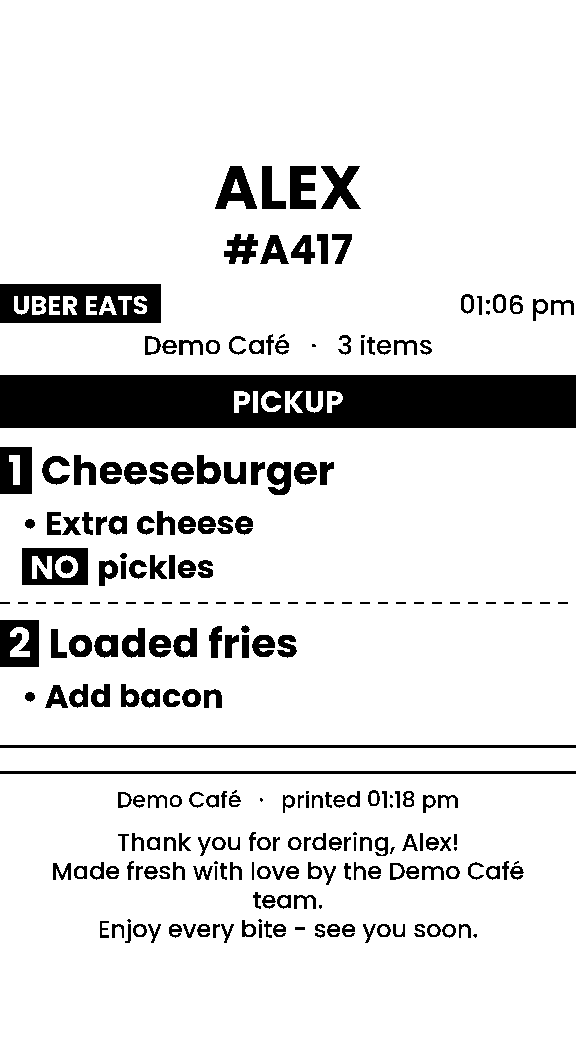
- Prints itself: a ticket for the order and a label for each item, on network or Bluetooth printers. Search the Wi-Fi to add one
- Modifiers you can't miss: extras, "no pickles" in red, and notes like "cut in half"
- Drivers on the screen: see when a courier has arrived, with their pickup PIN
- Set prep time once and it changes on every delivery app at the same time
- Spots regulars: shows when a customer has ordered before
- Any number of screens per shop: Android tablet, any browser, or inside the Register
A$39 per shop, per month · as many kitchen screens as you like
Customers order themselves. Your team keeps cooking.
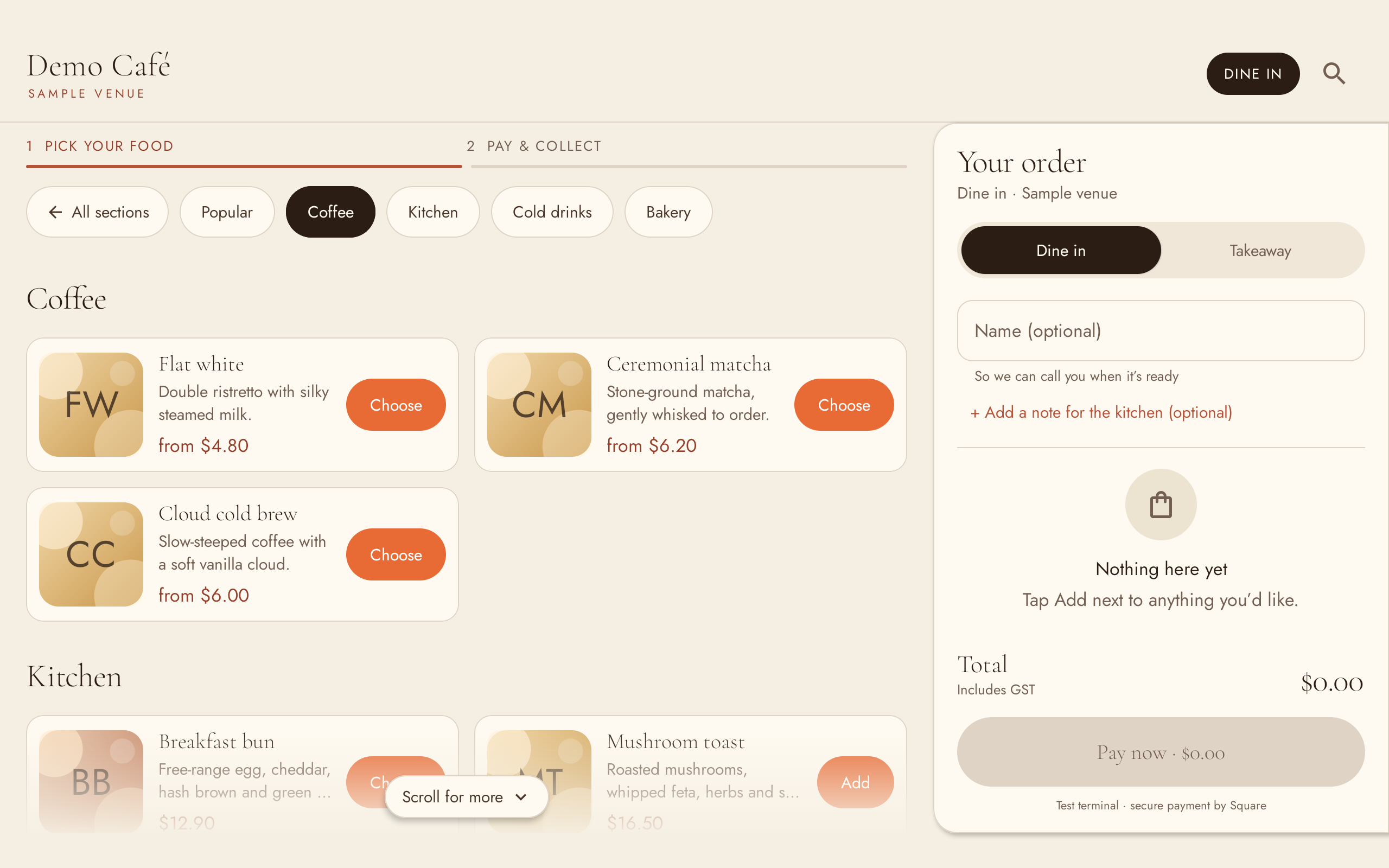
A tablet on the counter that sells your menu at your prices, takes the card, and puts the order straight onto the kitchen screen.
- Your menu, kept in step with the till: prices, options and anything sold out
- Card payment beside it with a Square or Zeller terminal. The money goes to your account
- Looks like your shop: your logo, colours, welcome photos, tile sizes and wording
- Dine in or takeaway, a name to call out, and a note for the kitchen
- Rewards built in: customers earn and spend points with their phone number
- Set up from the tablet with a code. One set of settings for all your shops
A$39 per shop, per month · Android tablet
The TV that answers "is mine ready?"
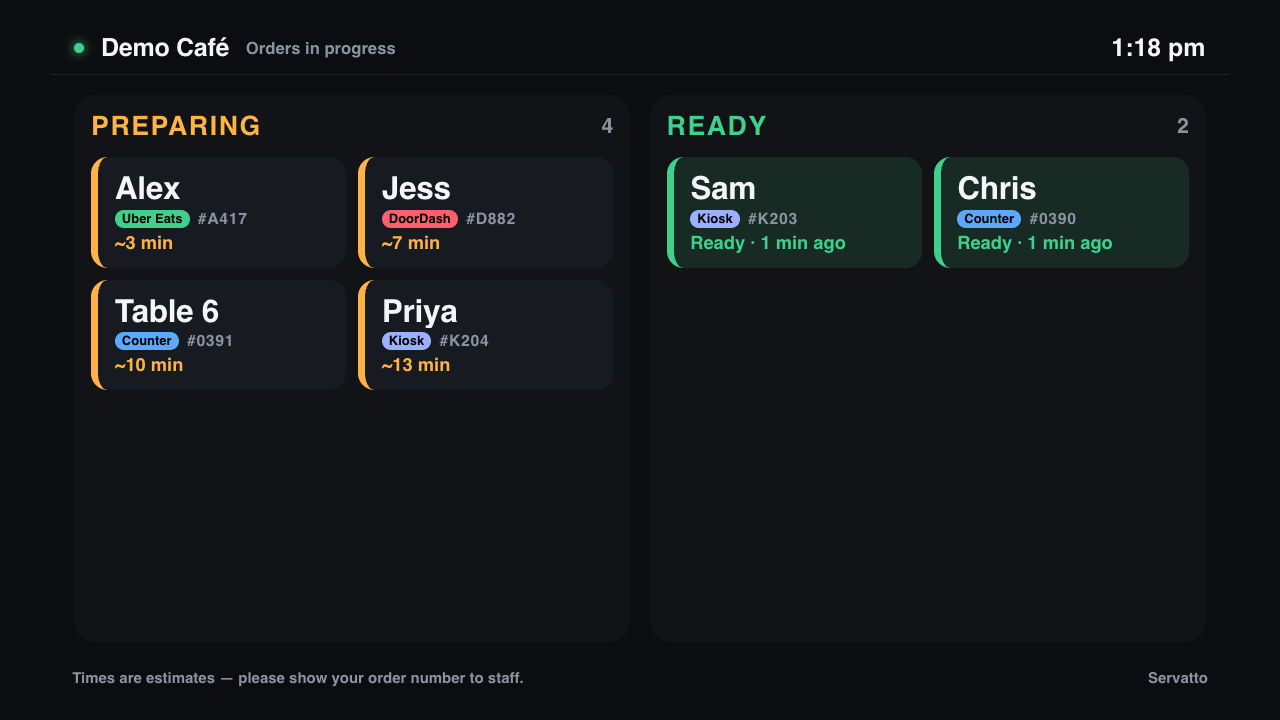
Customers see who's being cooked for and whose food is ready, using the same times as your kitchen. Between rushes it can be your menu board.
- Always matches the kitchen screen. Ready on the bench means ready on the TV
- Names, not just numbers, with where the order came from
- A menu board or any web page when you don't need order status
- Any TV with a browser, or the app on a Google TV
A$14 per TV, per month
Everything your staff need, in their pocket.
Staff sign in with their mobile number, with no password to forget. They see their shifts, clock in at the shop, and do the jobs that used to live on clipboards and in group chats.
- Their roster, with who else is on, and a notification when the week is published
- Clock in and out from their phone, only when they're at the shop (or flagged for you if they're not)
- Timesheets with estimated pay, and a request to you when they forget to clock out
- Swaps, leave and availability, sent to you as requests to approve
- Checklists for opening, closing and cleaning, with temperatures and photos. A reading out of range alerts you at once
- Stock orders: count what's there, take the suggested order, send it to the supplier
- Announcements and team chat, so the group chat can retire
- One app for every job: someone who works for two businesses on Servatto switches between them
Free for your whole team · iPhone and Android
Illustration
Know how the day's going without being there.
The owner's app. Today's numbers as they happen, the alerts that matter, and the controls you reach for in a rush.
- Today, live: sales and orders against the same day last week, hour by hour, for one shop or all of them
- Alerts that matter: a printer gone quiet, a kiosk or TV offline, delivery orders not coming through, a big or cancelled order, someone on a very long shift, a fridge reading out of range
- Pause a delivery app for 30 minutes, or until you turn it back on
- Mark items sold out on the till, the kiosk and the delivery apps at once, back on by itself tomorrow
- Find any order, see it as the kitchen did, and refund it
- Team, timecards, requests, reports and customers, just like the Back Office
- Home-screen widgets with today's sales, per shop
Free · iPhone and Android
Illustration
One place to set up and run every shop.
Everything you'd normally do from the office, at app.servatto.com. Change it here and every till, kiosk, kitchen screen and phone picks it up.
- Menu: items, sizes, options and categories. Bring it across from Square in one go, set a different price or "not sold here" per shop, and see everything sold out right now
- Orders from every channel in one list, with search and refunds
- Team: people, PINs, roles, which shops they work at, permission groups and hourly rates
- Rosters on a weekly grid, published to the Crew app in one go
- Timecards from clock-ins, with public holidays, edits and a payroll export
- Checklists, stock and suppliers, with each shop's usual levels and every day's food-safety record
- Customers and Rewards: balances, history, import and export
- Reports: sales, items, options, channels, payment types, team, discounts, wages against sales, cash drawers. With up to two years of past orders brought in when you connect
- Devices in every shop and whether they're online, plus settings for receipts, GST, tips, surcharges and discounts
- Who sees what: owners, managers for some shops, and staff who only see the kitchen screen
Free · any browser, on a computer or a phone
Illustration
One points balance, wherever they buy.
Customers earn and spend points with their phone number at the counter, the kiosk, and your own website or app, and it's always the same balance.
- Your rates: points per dollar, and what 100 points are worth
- Scan or type: the Register scans a Rewards card from Apple or Google Wallet, or takes a phone number
- Your website and app too, through a key you make in the Back Office
- Bring balances across from your current program, history and all, without paying anyone twice
- Already have a loyalty provider? Keep it. The kiosk works with it until you're ready to switch
Free · built into the Register, the Kiosk and the Back Office
Illustration
Works with what you already use.
Servatto connects to the services that move your money and your delivery orders. It never sits in the middle of a payment.
Square
Sign in once. Your menu and orders come across, and the Register and Kiosk take card payments through your own Square reader or terminal. Refunds go back the same way.
Zeller
Pair a Zeller Terminal with the Register or the Kiosk. Several tills can share one terminal, and refunds go back to the card.
Otter
Your Uber Eats, DoorDash and Menulog orders, through your Otter account. Pause a storefront or mark an item sold out without opening Otter.
Rewards API
Give your own website or customer app the same points balance as the counter.
Menu API
Change the menu from a script or an AI assistant with a key. Read the reference.
Timecard export
Hours and pay per person, ready for your payroll software or your bookkeeper.
Start with one. Add the rest when you're ready.
Every paid product is free for 14 days. The Register, Back Office, Manager and Crew apps and Rewards stay free.
- Running Square already?Add the Kitchen screen and keep your till. Up in half an hour.
- Opening a new shop?Start on the Register and Back Office, free, and add screens as you grow.
- More than one shop?One login, every shop side by side, and staff who work across them.